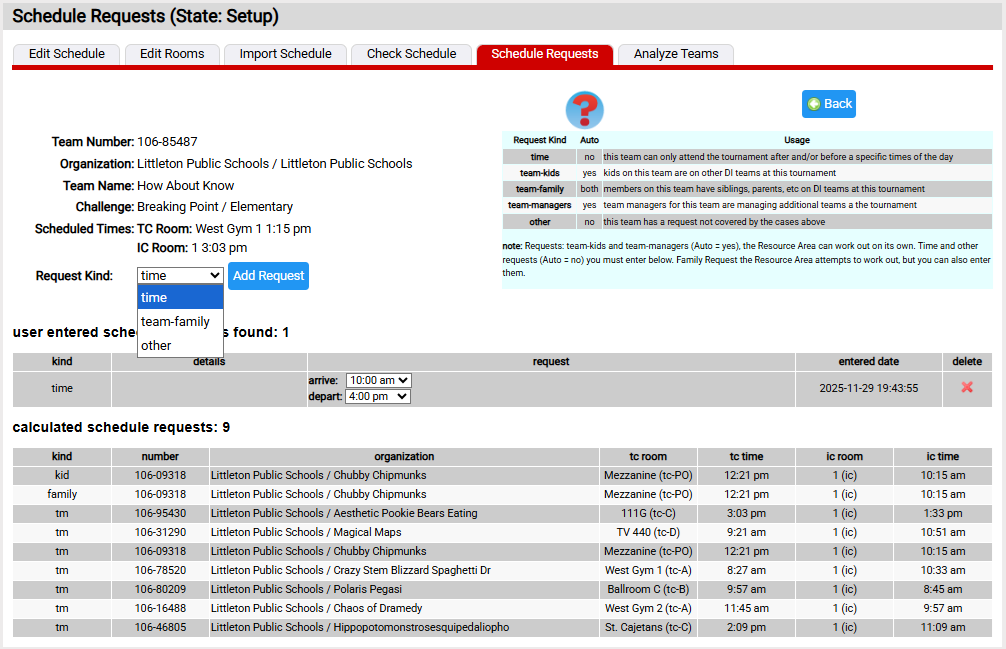
Editing Schedule Requests
This page can be used by a scheduler to view or edit a team's schedule requests. You reach the page by clicking the  icon for a team from the Team Schedule Requests list.
As discussed under the general topic of schedule requests, not all requests can be added. Some are added by the system using the Analyze Teams pane. The requests you can add / edit / delete are listed Request Kind dropdown and appear in the section of the page user entered schedule requests. Those generated by the system are in the calculated schedule requests.
To add a request, choose the request kind and click on the Add Request button. Each request kind asks you to supply various additional information such as the arrive and depart times for a time request.