Analyze Team Relationships
The Analyze Teams tab on the red tab menu will analyze various relationships among teams and can generate schedule requests to reflect these relationships.
This tab appears on the tab menu of both the Scheduler and Import Schedule.
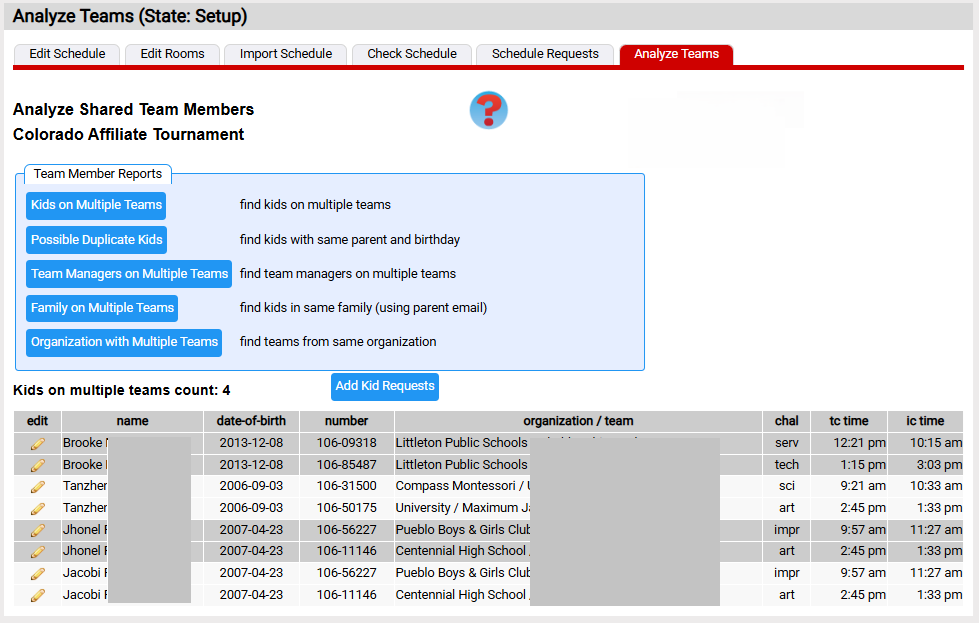
The page consists of a series of reports that can be launched. Below is the Kids on Multiple Teams report that shows kids at this tournament that are on multiple teams. These teams need to be scheduled such that these kids can be part of both team's performances. Clicking the Add
Kid Requests button will add kid schedule requests for the identified kids.
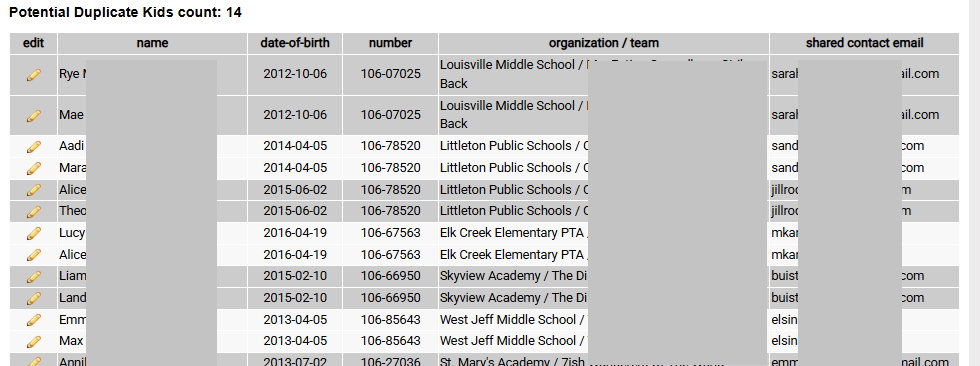
The Possible Duplicate Kids report looks for kids with the same lastname, and birthday. These are potentially the same kid that has more than that one kid record. Perhaps the first name was mis-typed. The report below lists a number of teams, but the first names don't appear to be mis-typed. If one where, click the  icon in the edit column. It will take you to the page to edit the kids on the team.
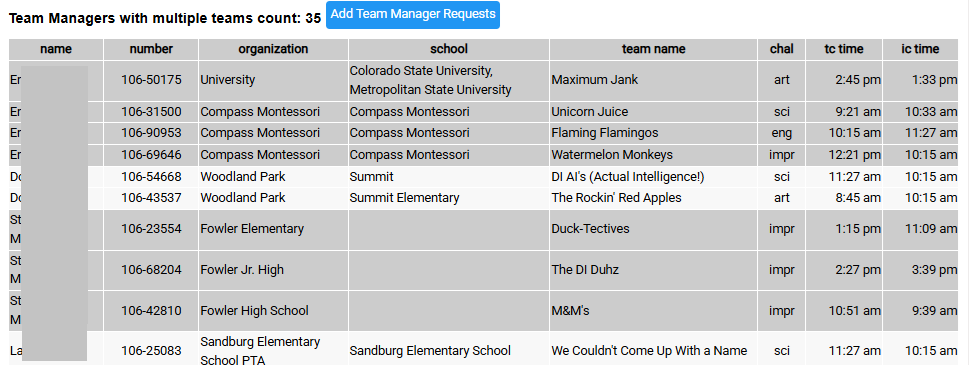
The Team Managers on Multiple Teams report is illustrated below. It analyzes the team managers at a tournament and determines which ones are on multiple teams. You can click the Add Team Manager Requests button to create tm schedule requests.
The Family on Multiple Teams report looks for multiple teams with kids who have the same parent contact email. If the kids share a parent contact email, they are quite likely to be family member. You can add them as family schedule requests if you like. There could be other family members on different teams (perhaps a different parent registered each kid). For this reason, teams can also enter other family schedule requests.
The last report (Organizations with Multiple Teams), looks for teams that share an organization. These likely are teams from the same school. There is no schedule request at this time for this relationship, but the report is available for a scheduler that wishes to take this into account.