Team Schedule Requests
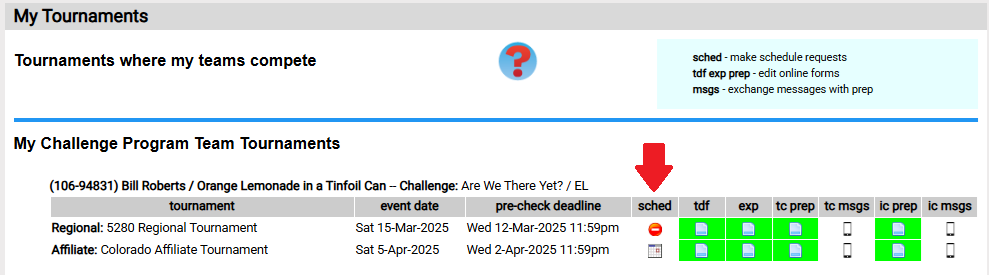
Teams view and enter their schedule requests from Teams=>my tournaments page by clicking on the icon is the sched column for the team. As is illustrated in the screen shot below, you might see a  icon that indicates this tournament is not using schedule requests. You can click on the
  icon to view or edit your team's schedule requests.
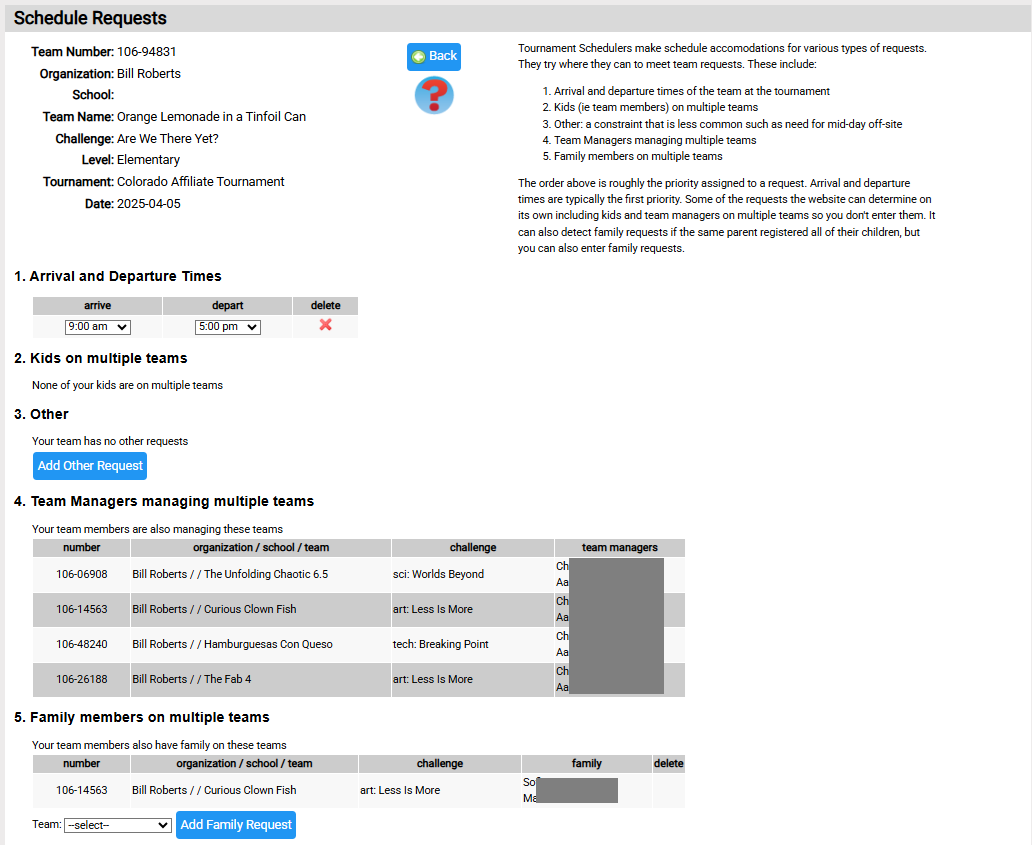
The page below is likely similar to what you will see. Near the top of the page text explains the types of schedule requests, which are team entered and the typical order they are applied. This is also covered here. Farther down the page, are the controls for entering requests:
Arrival and Departure Times
These can be added by clicking the Add Time Request button. If a request already exists, you can modify the request using the arrive and depart dropdowns.
Kids on multiple teams
Interpret the information as follows: the kids listed for a team are kids on your team that are also on this team.
As a team manager, you cannot edit this here. This is calculated from the kids team managers entered for teams. If the information is not correct, you should go to Teams=>my teams and edit the members of your team(s). If you make changes, let your tournament director know. They need to know the kids that are part of multiple teams as these teams need to be scheduled at times were joint team members can be with each team.
Other
This if for requests that don't fit into one of the other categories. Perhaps you team is being interviewed by the local TV station at 1pm.
Team Managers managing multiple teams
Interpret the information as follows: the people listed for a team are team managers for your team that are also team managers for the listed team.
Like Kids on multiple teams, you cannot edit this here. If changes are needed, go to Teams=>my teams to make the changes. If you make changes, let your tournament director know.
Family Members on multiple teams
Interpret the information as follows: the kids listed for a team are family members of kids on your team.
The system detects kids on multiple teams that have the same contact email (typically the parent's email). Given that the kids could be registered by a different parent or using a different email, you can also add more kids. Do this by selecting the team where these family members are associated.